Youbang · B2B Custom Silicone Manufacturing · Dongguan

Custom Silicone Device
Covers & Protective Boots

Engineer snug, anti-sag silicone protective boots and sleeves for handheld POS terminals, barcode scanners, field meters, remotes and controllers—designed around charging cradles, full cable-housing clearance, in-house anti-dust soft-touch coating and 7–15 day T1 fit verification.

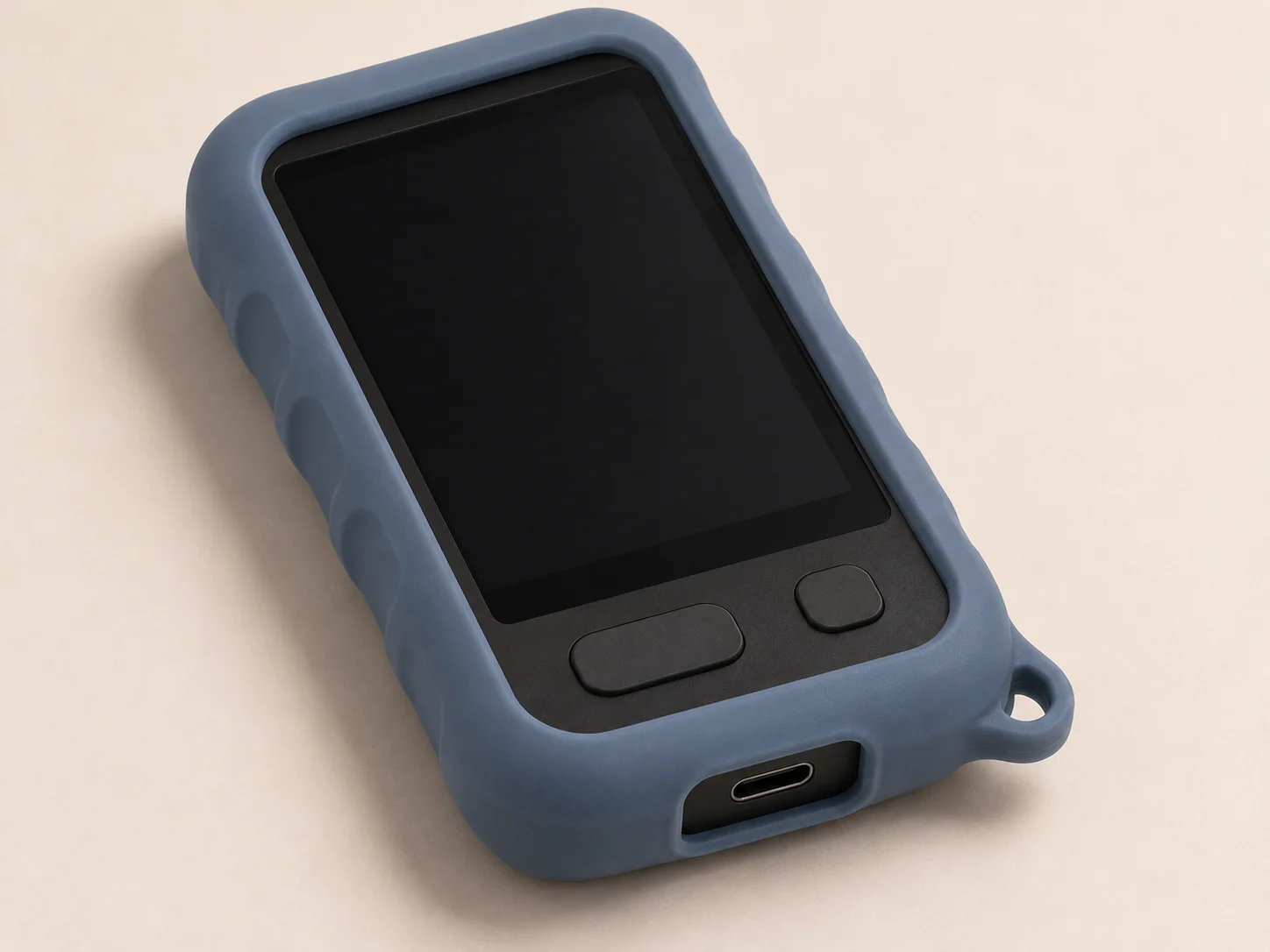
Handheld-terminal sleeve
Coverage
Shaped around the device outline
Access
Openings follow the real use states
Route
A removable part is different from overmolding

Choose the opening and coverage relationship

Open-face fitted covers

Open-face cover relationshipGray is a neutral reference object and blue is silicone coverage. Relationship only, not an actual device, process section or validated result.
Open face leaves the main operating area accessible. Gray reference object, blue coverage. Schematic.

A large open face leaves the main display or controls accessible while the sides and back follow the reference object. Controllers and terminals can both use this relationship.

More edge coverage changes retention and the fitting path. Place the edge where it can stay in position without crowding control travel or removal.
End-opening flexible sleeves

End-opening insertion relationshipGray is a neutral reference object and blue is silicone coverage. Relationship only, not an actual device, process section or validated result.
The gray reference object enters through the visible end opening along the arrow. Blue indicates sleeve walls. Not to scale.

The mating object enters through an end opening. Side walls and the sleeve mouth are arranged around the intended contact and access areas.

The largest section and protrusions influence insertion and removal. Keep the mouth visible in the design and define where the user can grip when taking the part out.

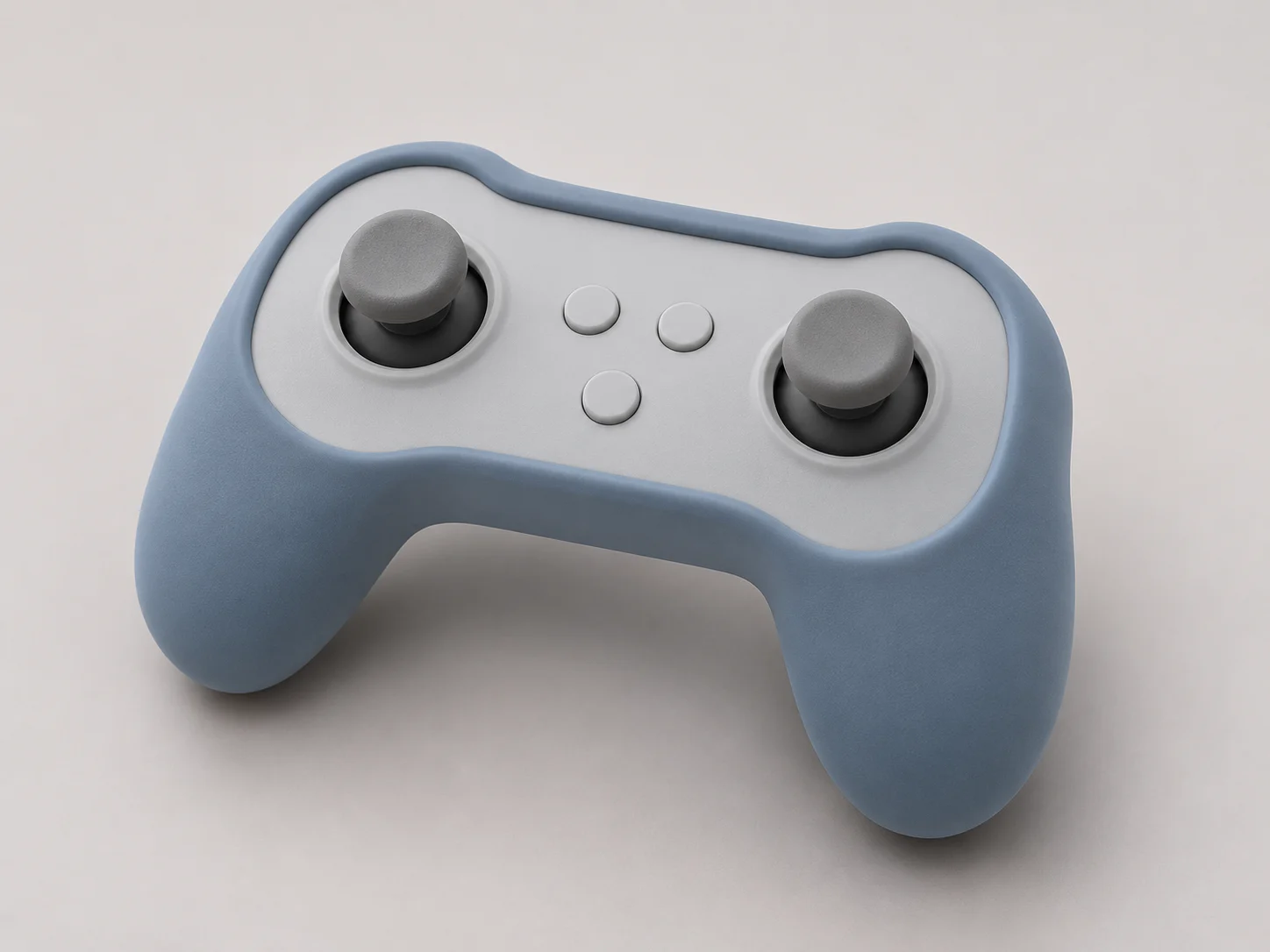
Controller sleeve
Controller sleeve

One structure, different operating layouts

Controller use

Place the cover edge outside the full control motion and keep the intended grip and strap areas usable.

Terminal use

Allow the complete charging plug to enter and the covered device to sit correctly in its dock or cradle.

Portable-device use

Camera views, side buttons and carrying attachments may need different openings from the main operating face.

Make each opening usable, not merely visible

Control, plug and dock accessGray is a neutral reference object and blue is silicone coverage. Relationship only, not an actual device, process section or validated result.ABC
A control travel; B plug and cable space; C dock contact envelope. Relationship schematic.

A · Control movement

The edge must allow the control to travel, including fingers approaching it. A static button outline alone is not the clearance envelope.

B · Plug and cable access

Include the plug housing and cable bend, not just the metal socket opening. Check insertion with the intended connector.

C · Docks and fixtures

Review the covered outline and the contact surfaces that locate the device. Added cover thickness may change how it seats.

Coverage and edges
Extra coverage can occupy operating space; observe edge location during use and removal.
Mouth and corners
The insertion path crosses the widest features; compare stretching and handling on silicone samples.
Local sections and grip
Section changes alter feel and fitting space. Define contact areas rather than applying one universal thickness.
Removal, cleaning and surface
A removable part needs an accessible removal action and a cleaning routine suited to its joints and finish.

Observe the opening, then use the actual mating parts

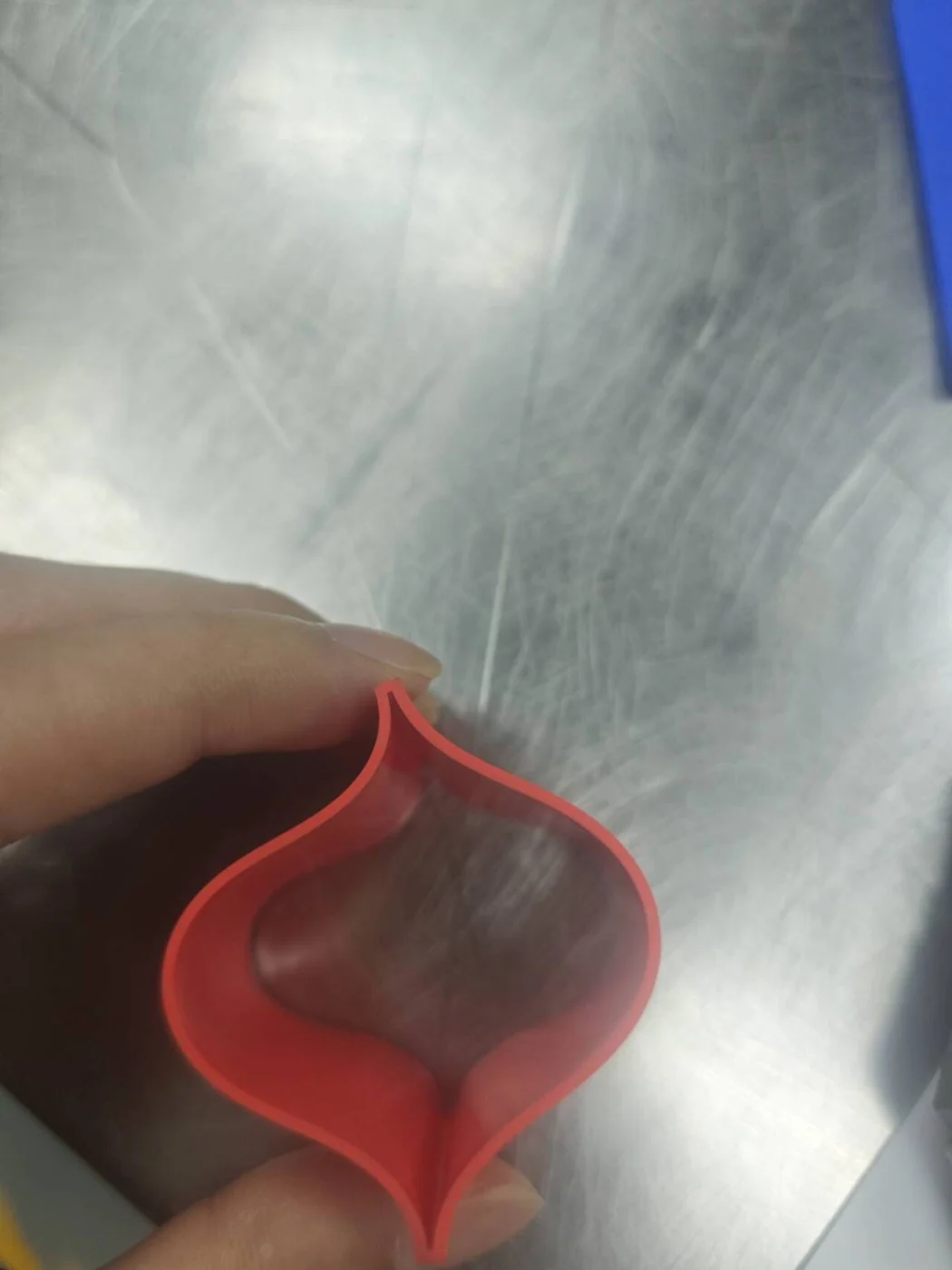
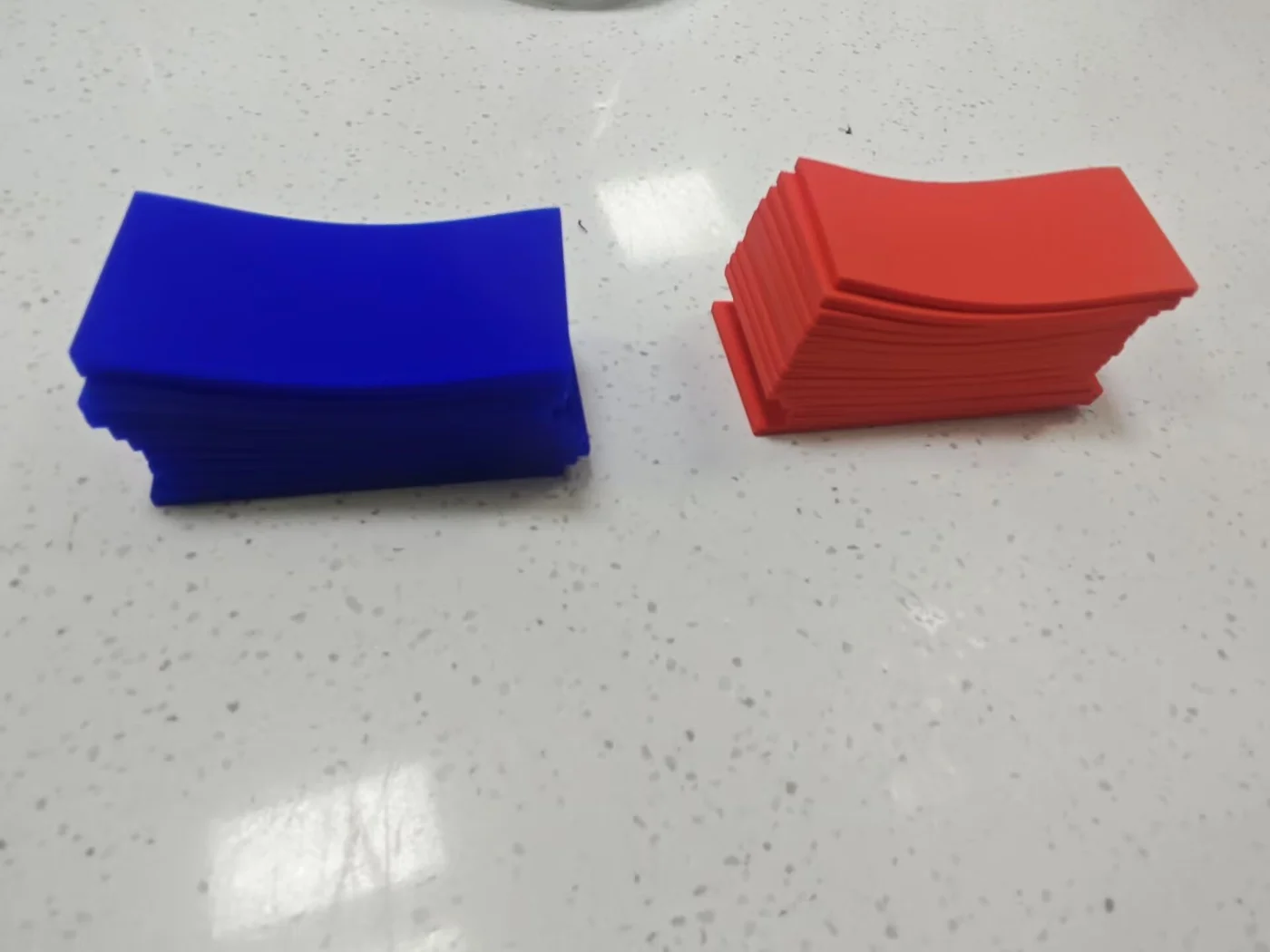
These factory-supplied flexible sleeve samples show visible shapes and opening details. Their intended equipment has not been identified; use your own device or mating geometry for the project checks.

Flexible sleeve samples
Flexible sleeve opening detail

Insertion and removal

Follow the path over the largest features and identify where the user can hold the part.

Edges after assembly

Operate the device and accessories with the cover in place, watching for edge movement or interference.

After cleaning and removal

Observe recovery, surface condition and refitting using the agreed cleaning routine.

Choose samples for the question →

Separate a removable sleeve from overmolding

Removable sleeve

A separate part is fitted to the device and can be removed for servicing or cleaning. Its opening and edge geometry must support that routine.

Overmolded part

Overmolding joins silicone to customer-supplied inserts and requires primer. Insert material, surface condition and bonding are project inputs; this differs from slipping a separate sleeve onto a device.

Overmolding responsibilities →

Sourcing & Tooling FAQ

Key Answers Before Tooling

Covering CAD readiness, custom MOQ evaluation, free 3D fit checks vs. T1 silicone samples, NDA protection and mold ownership.

Have a part-specific question?

Send your drawing or sample photo directly to Zhou Li’s engineering desk for a 24h DFM reply.

Can we start custom protective sleeve tooling from a physical device sample if 3D CAD isn’t available?

Complete outer-shell 3D CAD (STEP/IGES) is the fastest route to exact wrap-lip retention and port alignment. If only a physical unit is available, ship the device plus charging cable and cradle—eligible projects can verify clearance on 1–3 free 3D check prints (buyer pays shipping) before 7–15 day T1 silicone molding.

How do you prevent edge sag, lint pickup and charging-dock interference on silicone boots?

We thicken corner impact bumpers while pre-tensioning long screen-bezel lips in 45–65 Shore A elastomer, step down wall thickness around pogo-pin dock seating zones, and apply durable matte soft-touch coating in-house so sleeves slide smoothly into pockets and holsters without attracting dust.

B2B Factory Direct · 24h Engineering & Tooling Review

Custom-Tool a Protective Silicone Cover Around Your Device

Share your 3D housing CAD or sample unit, charging dock/cable interfaces, Pantone color and target volume—receive engineering feedback within 24 hours.

✓ NDA available before CAD exchange✓ Eligible for 1–3 free 3D fit prototypes✓ Paid molds 100% owned by customer

Helpful RFQ Inputs

  • Device revision and drawing or reference
  • Key openings and mating accessories
  • Use and planned quantities